¶ Creating a Shaft
Creating a shaft is easy, but requires some prerequisites.
Here are the limitations and prerequisites you need to be aware of in a quick list…
- Align with a new BLANK model, balls/shaft enabled and its area.
- Needs to be 4000 or less vertices.
- Needs to have an empty NAMED cum_point at the cum point.
- Make it a model with bones and saved as .glb with “Add Leaf bone” in exporter (Requires Newer blender if there are none).
- Cannot have sharp angles. (Fvne can highlight problem areas if sharp angles are detected)
A quick tip in modeling a shaft is to use the pre-existing shaft that you export the blank model with.
Just remember, when editing the model, to Merge the vertices by distance to work with a unified single model.
If you need to add texture for later, obviously mark seams. But, its up to you to have the know-how of actually modelling.
¶ Align with a Blank model in Blender
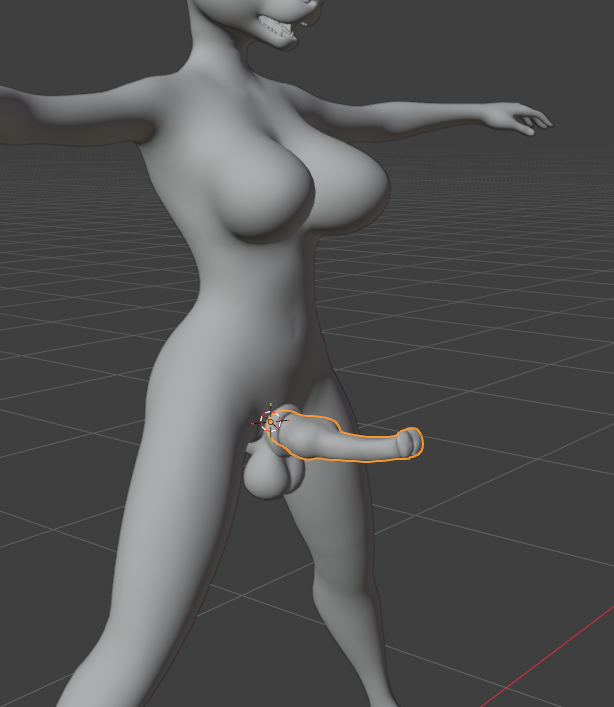
You will want to export a newly created BLANK with Shaft/balls gender from Fvne.
When imported into Blender, align your penis model with the blank model shaft.
¶ Add Cum_Point
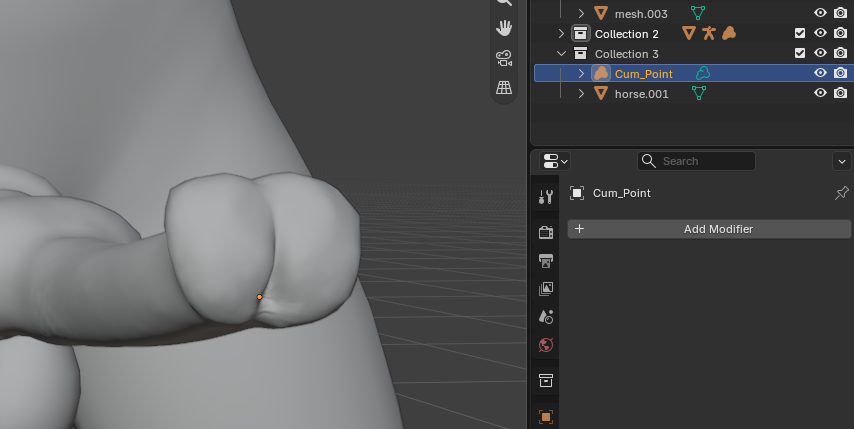
Shift+A and then use the search for “Empty”. Find the empty volume option and add it.
Move the Empty to where the cum point would be from.
Lastly, re-name the object in scene collection to “ cum_point ” (case sensitive)
!Do not parent cum_point!
¶ Add leaf bone when exporting
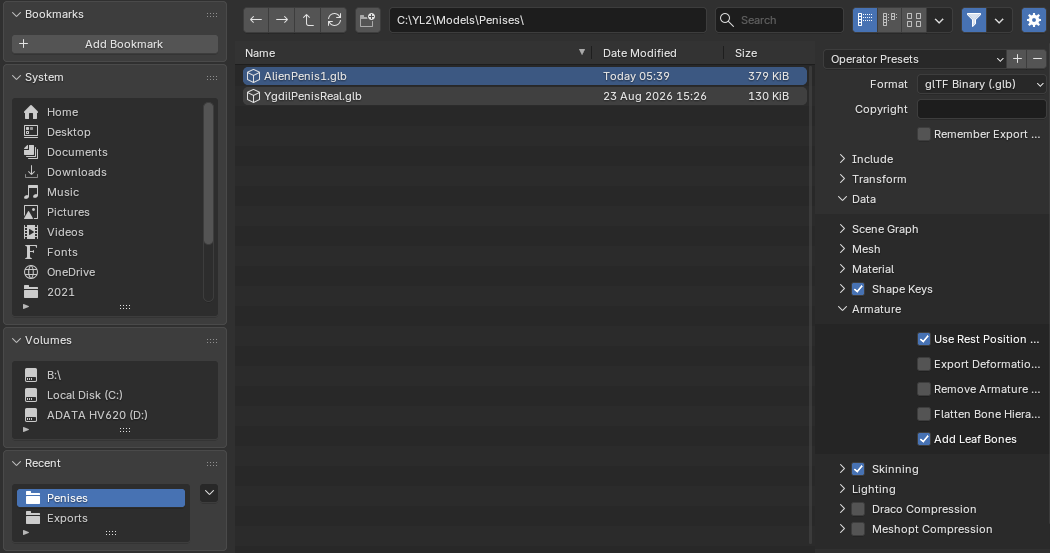
When exporting, Select the model along with its armature and include with the cum_point, as .glb… remember to only include selection.
So in other words, keep model+armature+cum_point selected before exporting.
But also, add leaf bone. Found under data > Armature > Add Leaf Bone on the right side of the exporter.
¶ Add into Fvne
Import the new .glb file into Fvne using the import > shaft options on the upper left menu.
The new shaft will appear in the model selector for the shaft.
Any errors you see will tell you the problem accordingly.
An error saying it was “Null”? Perhaps you did not select the object(s) properly when exporting.
Still “cum_point” error? Perhaps it was not select, or the name has a higher case such as Cum_Point instead of cum_point.
Sharp angle error? A new window should give hints of the models problem areas, highlighted in violet, perhaps better seen when zoomed in.